Seedream 5.0 Pro AI Image Generator
Seedream 5.0 Pro is built for creators who need polished images without wrestling with a complicated workflow. Turn prompts and reference photos into sharp 4K visuals, refine details with natural language, keep characters and product elements consistent, and produce campaign-ready assets for ads, ecommerce, social content, and design exploration.
Seedream 5.0 Pro
Drag or click to upload up JPG, PNG, or WEBP images
Sample Image
(The Created Image results will appear here)

What is Seedream 5.0 Pro?
Seedream 5.0 Pro is a professional AI image generation and editing experience focused on clarity, control, and production value. It understands layered prompts, works with reference images, supports natural language edits, and helps preserve important details such as faces, products, materials, typography, and lighting across a set of images.
Create Professional Images with Seedream 5.0 Pro
Use the familiar Seedream workspace to move from idea to finished image with fewer retries:
Describe the Final Image
Write a natural prompt with the subject, style, camera angle, text, background, and business context. Seedream 5.0 Pro is designed to read detailed intent instead of only matching isolated keywords.
Add References and Edit
Upload reference images when you need a stable character, product, outfit, color palette, or layout. Then use plain language to replace objects, adjust lighting, clean backgrounds, or refine small details.
Export 4K Ready Assets
Generate one image or a small set of variations, choose the right aspect ratio, and produce high-resolution visuals that are easier to reuse in ads, landing pages, thumbnails, product shots, and storyboards.
Explore Seedream 5.0 Pro Image Ideas
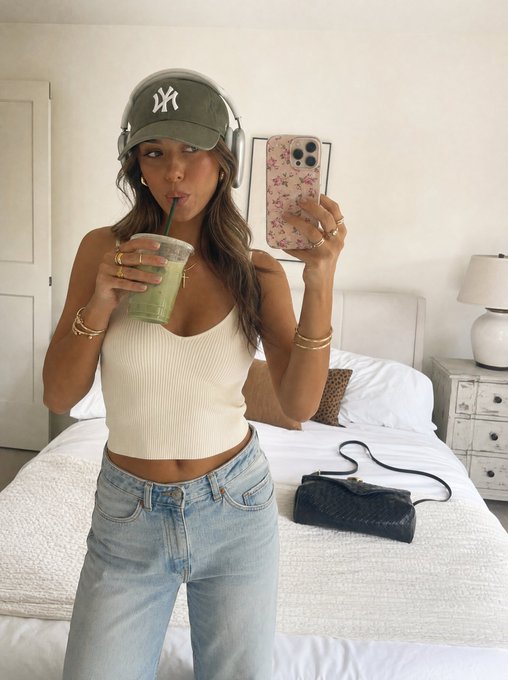
Use Seedream 5.0 Pro for polished AI portraits, product scenes, campaign concepts, cinematic posters, and reference-guided edits.
Seedream 5.0 Pro FAQ
Answers for creators comparing Seedream 5.0 Pro with standard AI image tools.
What makes Seedream 5.0 Pro different?
Seedream 5.0 Pro is positioned around professional control: stronger prompt interpretation, reference-aware editing, detailed materials, cleaner composition, and high-resolution output for real production tasks.
Can Seedream 5.0 Pro edit existing images?
Yes. Upload one or more images and describe the change you want. You can adjust backgrounds, styles, objects, colors, scene mood, and layout while keeping the important parts of the original image recognizable.
Is Seedream 5.0 Pro good for product and brand visuals?
Yes. It is useful for ecommerce scenes, ad concepts, social visuals, packaging ideas, character-led campaigns, and branded creative drafts where consistency and clean detail matter.
Does Seedream 5.0 Pro support text in images?
Seedream 5.0 Pro is designed for more accurate text rendering than older image generators. For the best results, keep text concise, specify the exact wording, and describe where the text should appear.
What prompts work best with Seedream 5.0 Pro?
Use clear, specific prompts. Mention the subject, visual style, camera or composition, lighting, color palette, desired aspect ratio, and any text or brand detail that must stay accurate.